Authorize now, capture later
Sign upfor a Stitch Payments account.
By default, Stitch charges the card as soon as checkout succeeds (authorize and capture in one step). You can instead authorize only — hold funds on the card, then capture or release them from the WooCommerce order screen.
Since 0.5.0.
Choose a transaction type
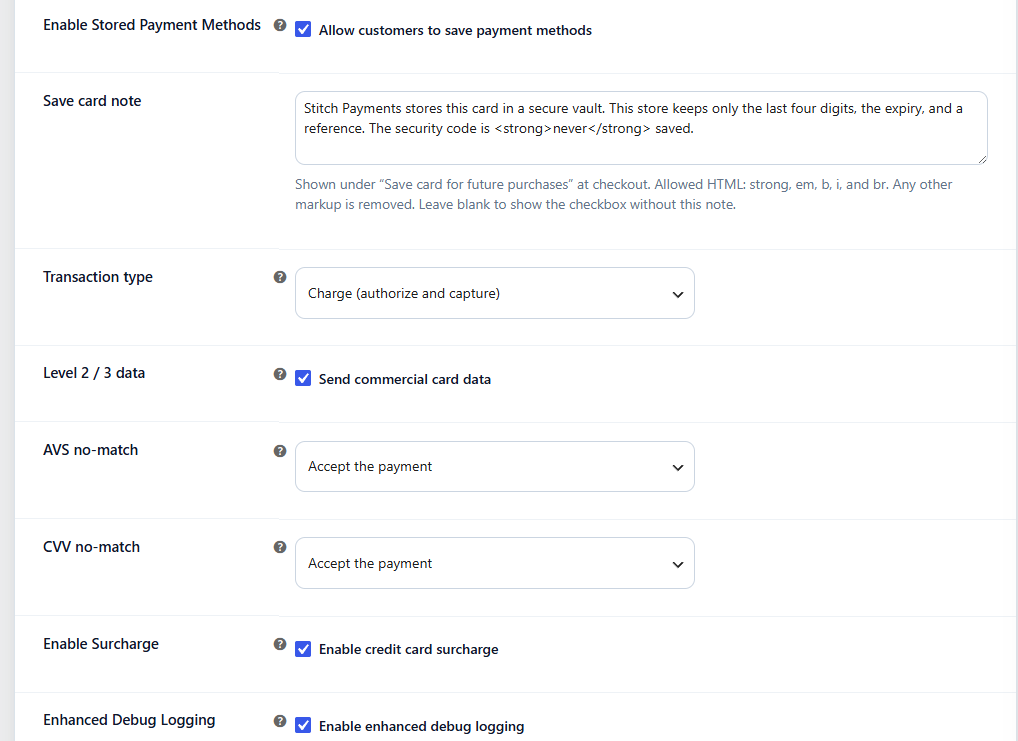
In WooCommerce → Settings → Payments → Stitch, under Other settings:
- Set Transaction type to Charge (authorize and capture) or Authorize only (capture later).
- Save changes.
The setting applies to new checkout payments. Existing orders are not rewritten.
:::note Subscriptions WooCommerce Subscriptions renewals always charge immediately, even if Transaction type is Authorize only. A hold that expires days later would miss the renewal. :::
Charge (default)
Checkout authorizes and captures in one request. The order is marked paid and typically moves to Processing (or your store's usual paid status). Refunds and voids work as described in Features.
Authorize only
When a customer pays:
- CardPointe holds the purchase amount on the card (the card is not settled yet). A Credit card surcharge fee on the order is not part of that hold, because CardPointe adds the surcharge itself.
- The WooCommerce order moves to On hold.
- Stock is reserved.
- An order note records the transaction reference and reminds you to capture or cancel.
Capture the payment
Open the order and change the status to Processing or Completed. Stitch captures the same amount that was authorized. A Credit card surcharge fee is not included in that capture.
- Success — the order is marked paid,
_stitch_capture_statusbecomescaptured, and an order note records the amount and reference. - Failure — the order returns to On hold with the processor error in the note. Check the transaction in CardPointe, then change the status again to retry.
Bulk status changes (for example selecting several On hold orders and marking them Processing) capture each Stitch authorize-only order the same way.
Void the hold
Cancel the order. Stitch voids the uncaptured authorization so the customer's hold is released. If the void fails, the order note tells you to void the transaction manually in CardPointe.
Refunding the full remaining amount on an uncaptured authorization also voids it (the existing refund/void path), and the capture status is marked voided so a later status change cannot capture a dead hold.
Authorization expiry
Card authorizations typically expire after several days if they are not captured. Capture promptly, or cancel the order to release the customer. Exact windows depend on the card brand and CardPointe — confirm with Stitch Payments if you need a specific settlement policy.
What customers see
Checkout looks the same in both modes. Guests and logged-in customers can both pay; the difference is only what happens to the order after approval.
Related
- Getting started — where to set Transaction type
- Data and privacy —
_stitch_capture_statuson orders - Features — refunds and voids